Value proposition
Welcome every visitor as if they were expected

Invite in seconds
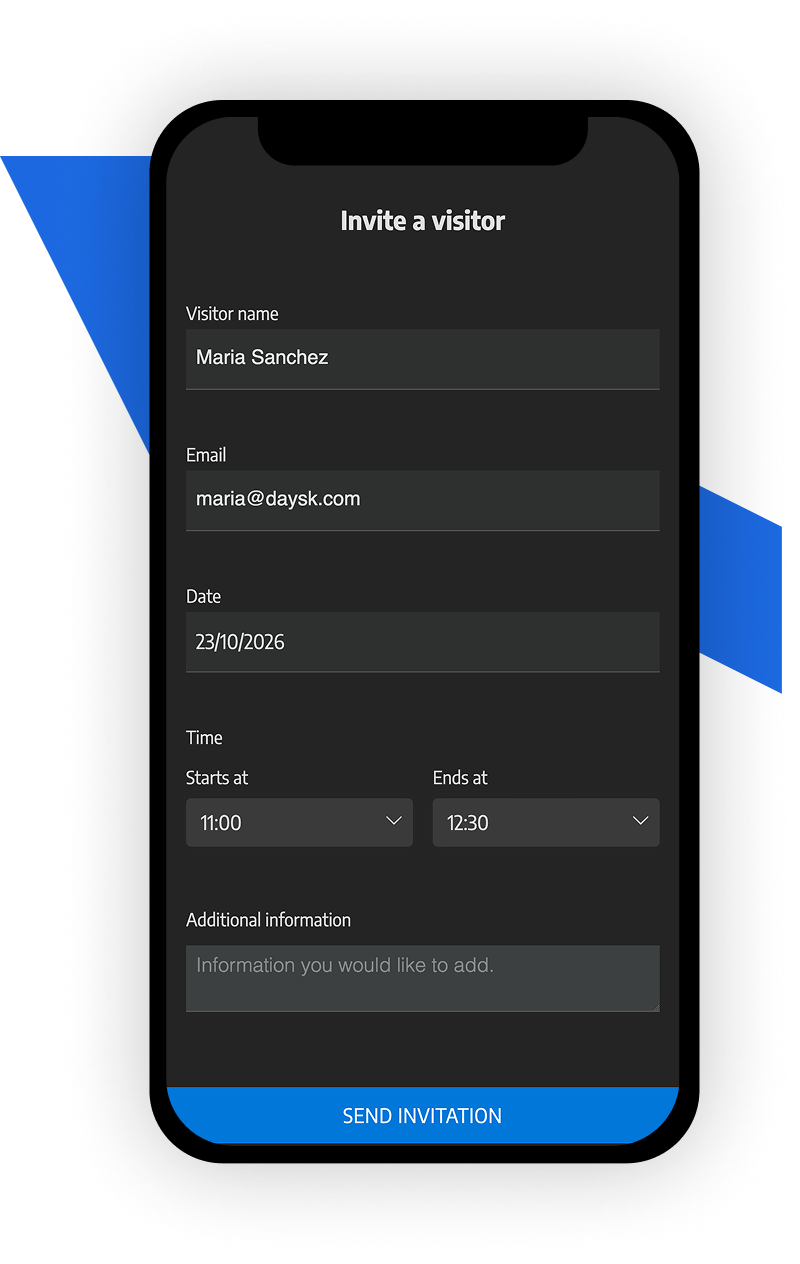
Hosts invite their guests from Daysk with a date, a time and a personal note. The visitor gets an email with everything they need to find their way.

Registered before they arrive
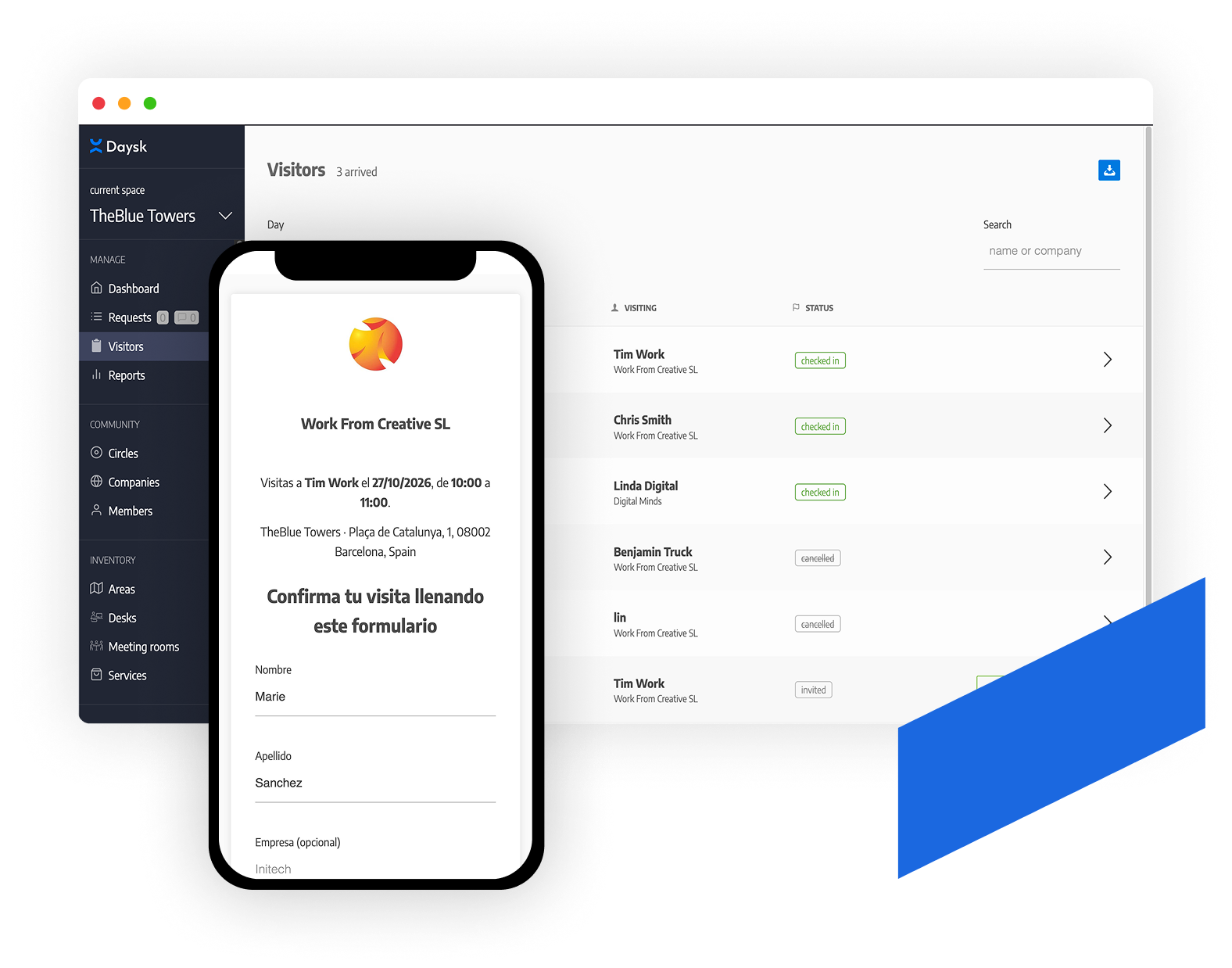
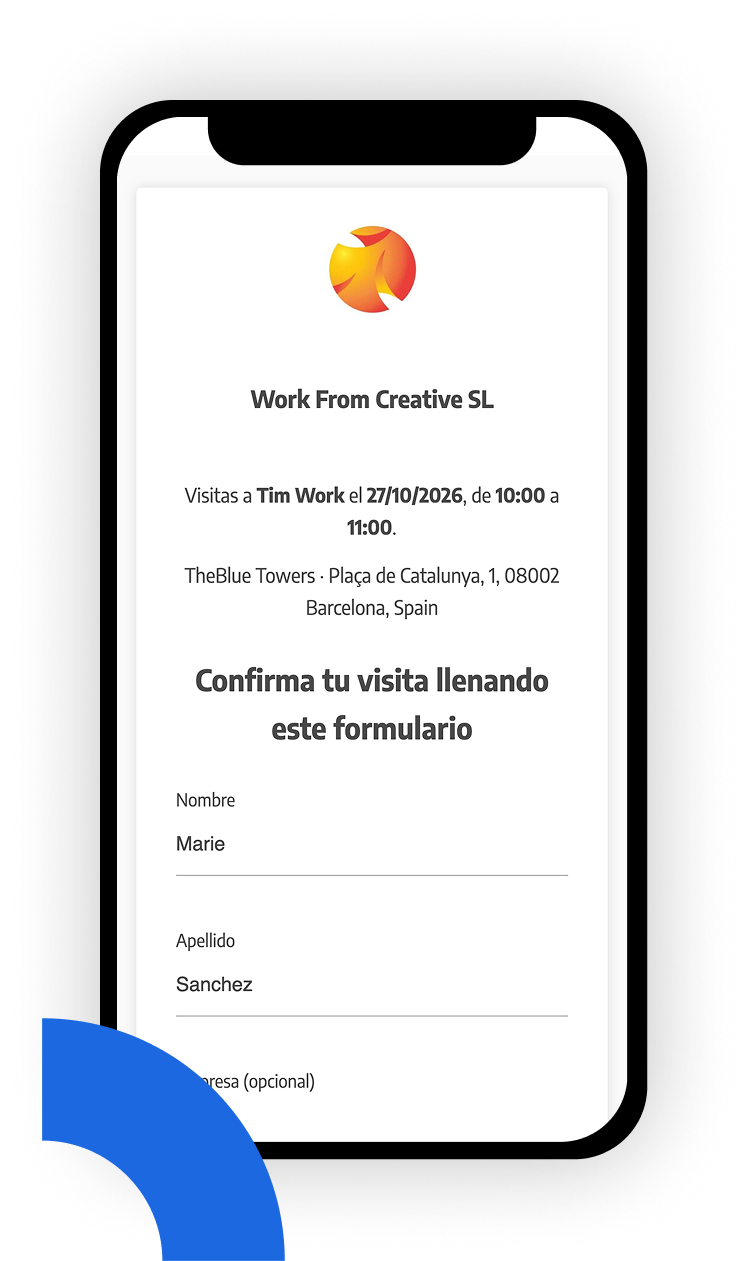
Visitors fill in their details and ID document online ahead of the visit, so nobody queues at the front desk with a clipboard.

A clear day for reception
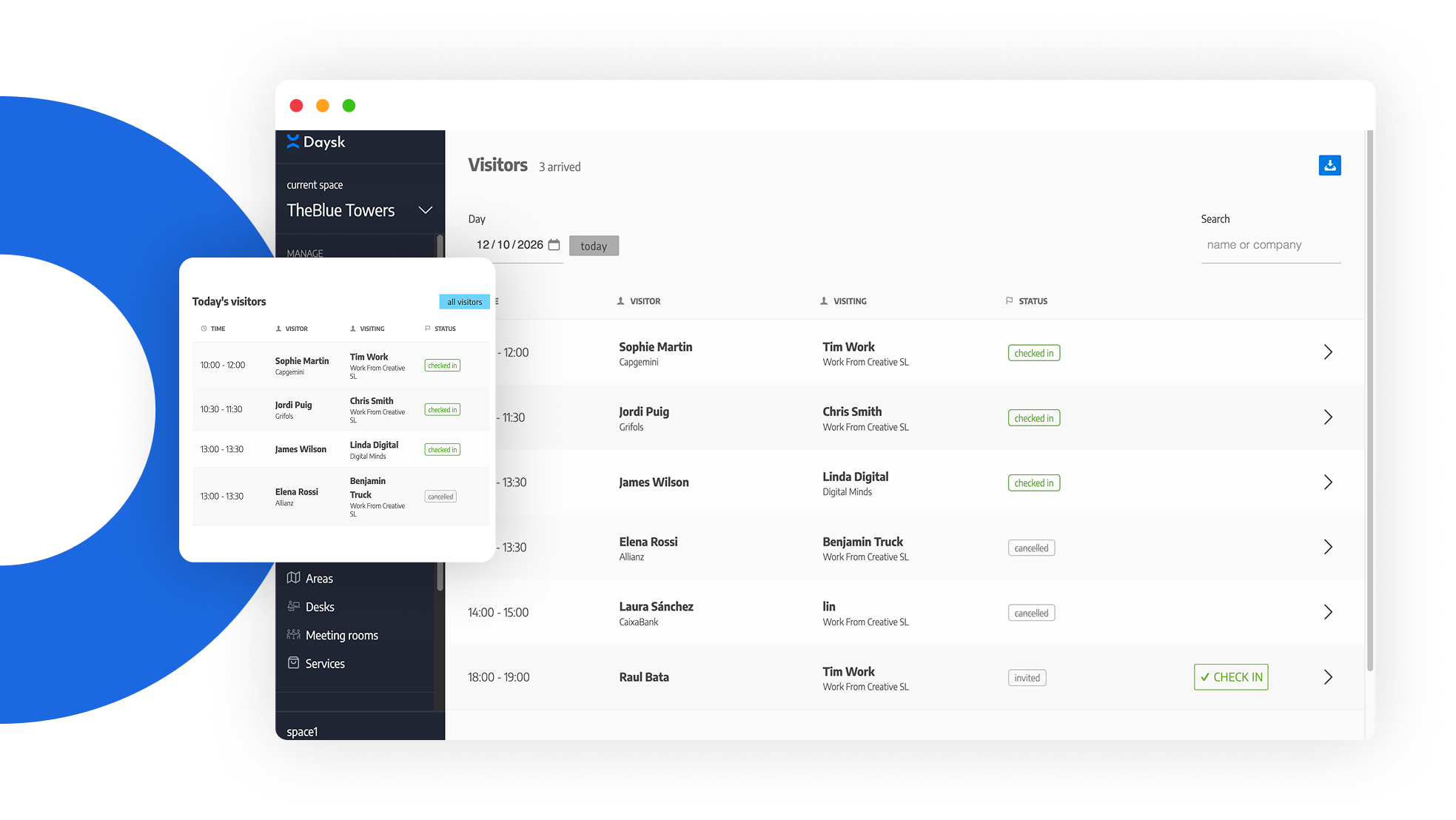
Reception sees who is expected today, who they are meeting and when, and checks them in with one click.

Privacy by design
ID numbers are deleted automatically 30 days after the visit. You keep the visit record, not personal data you no longer need.
How it works
Invite visitors
Your employees invite guests from the same app they use to book desks and rooms. Pick the building, the date and time, add a note, and Daysk takes care of the rest.
Key features
- Invitations carry your company’s name and logo, with the building’s address
- A personal note from the host travels with the invitation
- Upcoming visitors appear next to the host’s bookings, and can be cancelled in one click
How it works
Online pre-registration
Each invitation contains a personal, secure link. Visitors complete their details before the visit, on any device, without creating an account.
Key features
- Name, company and ID document collected ahead of time
- Terms and conditions accepted online
- No app to install, no account to create
How it works
Reception and check-in
Reception has a single view of the day’s visitors. When a guest arrives, one click checks them in and lets the host know straight away.
Key features
- Visitors of the day, with their host and time slot
- The host is notified by email and push notification on check-in
- Export the day’s visitor list to Excel

How it works
Privacy and control
Visitor management is switched on per building, and visitor data is only kept as long as it is needed.
Key features
- ID numbers are purged automatically 30 days after the visit
- Only your reception staff see the visitor list, without needing admin rights
- Enable it only in the buildings that need it